
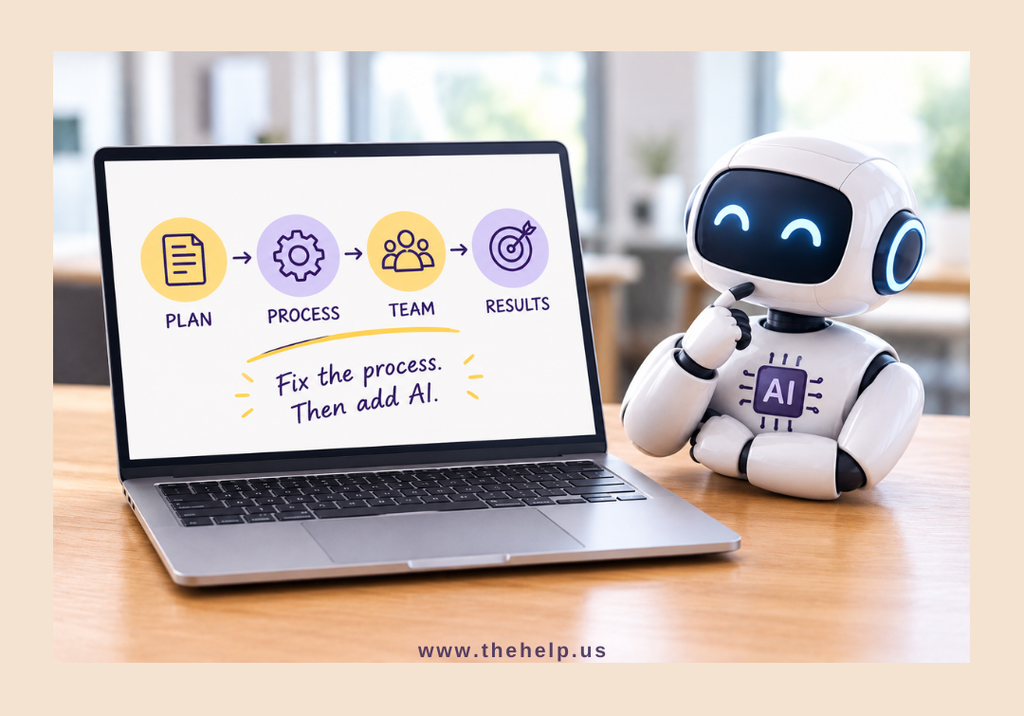
Artificial intelligence is everywhere.
Businesses are using AI to write emails, summarize meetings, analyze information, answer questions, create content, organize data, and automate repetitive tasks.
And for good reason.
AI can save time.
But there’s something AI can’t do:
It can’t fix a process that doesn’t make sense in the first place.
If your workflow is confusing, inefficient, repetitive, or full of unnecessary steps, adding AI to it may simply help you do the wrong thing faster.
Before you ask, “How can we use AI for this?”, there’s another question you should ask first:
“Why are we doing it this way?”
What Is a Broken Process?
A broken process doesn’t necessarily mean that something is completely failing.
Sometimes, it simply means you’re doing more work than necessary to get the same result.
Maybe information is entered into three different systems.
Maybe employees aren’t sure who is responsible for the next step.
Maybe everyone has their own way of completing the same task.
Maybe you’re copying information from one spreadsheet to another.
Maybe you’re spending 30 minutes looking for a document that should take 30 seconds to find.
Or maybe a task requires five approvals when one would be enough.
These problems aren’t necessarily technology problems.
They’re process problems.
And that’s where Business Process Improvement comes in.
Step 1: Understand the Process Before Automating It
Before introducing AI or automation, take a step back.
Ask someone to explain the process from beginning to end.
Then write it down.
You may be surprised by what you find.
A task that seems simple might actually involve:
- Receiving information
- Checking the information
- Entering it into a system
- Sending it to another person
- Waiting for approval
- Updating another system
- Sending a confirmation
- Creating a report
Once the process is visible, you can start asking better questions.
Does every step need to happen?
Does the information need to be entered more than once?
Does someone actually need to approve this?
Could two steps be combined?
Could one step be automated?
The answers may reveal that you don’t need more technology.
You need a better workflow.
Step 2: Eliminate Unnecessary Work
One of the biggest mistakes businesses make is trying to automate every step of an inefficient process.
Imagine a process that contains ten steps.
Two of those steps are unnecessary.
Three could be simplified.
Two could be automated.
That leaves only three steps that genuinely require human involvement.
If you automate the original ten-step process without examining it first, you’ve simply created a faster version of an unnecessarily complicated workflow.
Automation should simplify work—not preserve unnecessary work.
Step 3: Decide What Should Be Automated
Once the workflow is cleaner, look for tasks that are repetitive, predictable, and rules-based.
These are often good candidates for automation or AI assistance.
For example:
- Sorting incoming information
- Summarizing documents
- Drafting routine communications
- Organizing data
- Creating initial reports
- Categorizing requests
- Extracting information from documents
- Generating meeting summaries
- Creating first drafts
- Identifying patterns in large amounts of information
The goal isn’t to automate something simply because you can.
The goal is to automate it because doing so creates a meaningful improvement.
That’s the difference between using AI and using AI strategically.
Step 4: Know What Should Stay With People
Not every part of a workflow should be automated.
Some tasks require judgment.
Others require empathy, context, creativity, relationship-building, or accountability.
Consider customer service.
AI may be able to answer a routine question quickly.
But a frustrated customer with a complicated problem may need a person who can understand the situation, make a judgment, and respond appropriately.
The same applies to business decisions.
AI can organize information and identify patterns.
But someone still needs to decide what those findings mean for the business.
The strongest workflows don’t necessarily eliminate people.
They give people better tools.
Step 5: Combine AI With Human Support
This is where AI Business Support can become especially valuable.
Instead of asking AI to handle an entire process from beginning to end, businesses can use AI to assist people with the parts that are repetitive or time-consuming.
For example:
AI can help with:
- Initial research
- Summaries
- Drafts
- Data organization
- Repetitive analysis
- Information extraction
People can handle:
- Reviewing the output
- Making decisions
- Communicating with customers
- Managing exceptions
- Applying business judgment
- Ensuring accuracy
This combination can create a workflow that is both efficient and human.
Step 6: Document the New Workflow
Once you’ve improved a process, don’t keep it in someone’s head.
Write it down.
Create a standard operating procedure.
Document:
- What starts the process
- Who is responsible for each step
- What tools are used
- What information is needed
- What happens next
- What requires approval
- What happens when something goes wrong
- Where the completed work is stored
Good documentation makes your workflow easier to train, delegate, measure, and improve.
It also reduces the risk of one person becoming the only person who knows how something works.
Step 7: Measure Whether the Change Actually Helped
A new tool isn’t automatically an improvement.
After changing a workflow, ask:
Did we actually save time?
Did the number of errors decrease?
Did employees find the process easier to follow?
Did customers receive faster responses?
Did we eliminate unnecessary steps?
Did the quality of the work stay the same—or improve?
If the answer is no, the process may need another adjustment.
Workflow Optimization is not a one-time project.
It’s an ongoing process of looking for better ways to work.
AI Is a Tool, Not a Strategy
It’s easy to get caught up in the excitement surrounding new AI tools.
There’s always another platform promising to make your business faster, smarter, or more efficient.
But technology should support your business strategy—not determine it.
Start with the problem.
Then examine the process.
Then determine what can be eliminated, improved, delegated, or automated.
Only after that should you decide where AI fits.
This approach can prevent businesses from spending time and money implementing technology that doesn’t actually solve the problem they have.
What About Tasks That Should Be Delegated?
Not every inefficient process needs AI.
Sometimes the best solution is simply having the right person handle the work.
For example, administrative tasks such as scheduling, data entry, inbox management, research, file organization, customer follow-ups, and routine reporting may be better suited to Administrative Support or Remote Business Support.
Other processes may benefit from a combination of people and technology.
The question isn’t:
“Should we use AI or a person?”
It’s:
“What combination of people, processes, and technology will produce the best result?”
That’s a much better question.
A Simple Test for Your Next AI Project
Before introducing AI into a workflow, ask these five questions:
1. What problem are we trying to solve?
Be specific.
2. What does the current process look like?
Document every step—even the small ones.
3. Which steps are unnecessary?
Eliminate before you automate.
4. Which steps require human judgment?
Keep people involved where context, relationships, and accountability matter.
5. Where can technology genuinely make the process better?
Only then decide where AI or automation belongs.
Better Processes Come First
AI can be incredibly powerful.
But it isn’t magic.
If your business has unclear responsibilities, unnecessary approvals, duplicated work, outdated procedures, or poor communication, AI won’t automatically solve those problems.
In fact, it may make them harder to see.
Start with the workflow.
Improve the process.
Document the steps.
Give your team the right support.
Then use technology to make a good process even better.
At The Help, we believe effective Business Operations Support isn’t simply about completing more tasks. It’s about finding better ways to get the work done.
That may involve Business Process Improvement, Workflow Optimization, Administrative Support, Virtual Assistant Services, or the thoughtful use of AI.
Because the goal isn’t to make a broken process faster.
The goal is to build a better process in the first place.